
One question draws on specialist literature and records in the database
The user asks about the principles for correcting Angle Class II malocclusion and whether the case database contains similar entries. The knowledge base retrieves specialist material. DS-Orth-Sim runs a structured query over sample cases. The two sources appear separately in the same response.
The clinician can read the explanation first, see which records match, then ask for relevant images and classifications. The recorded session demonstrates how information can be organized and retrieved. Any subsequent clinical review still needs the original material and the conditions under which it applies.
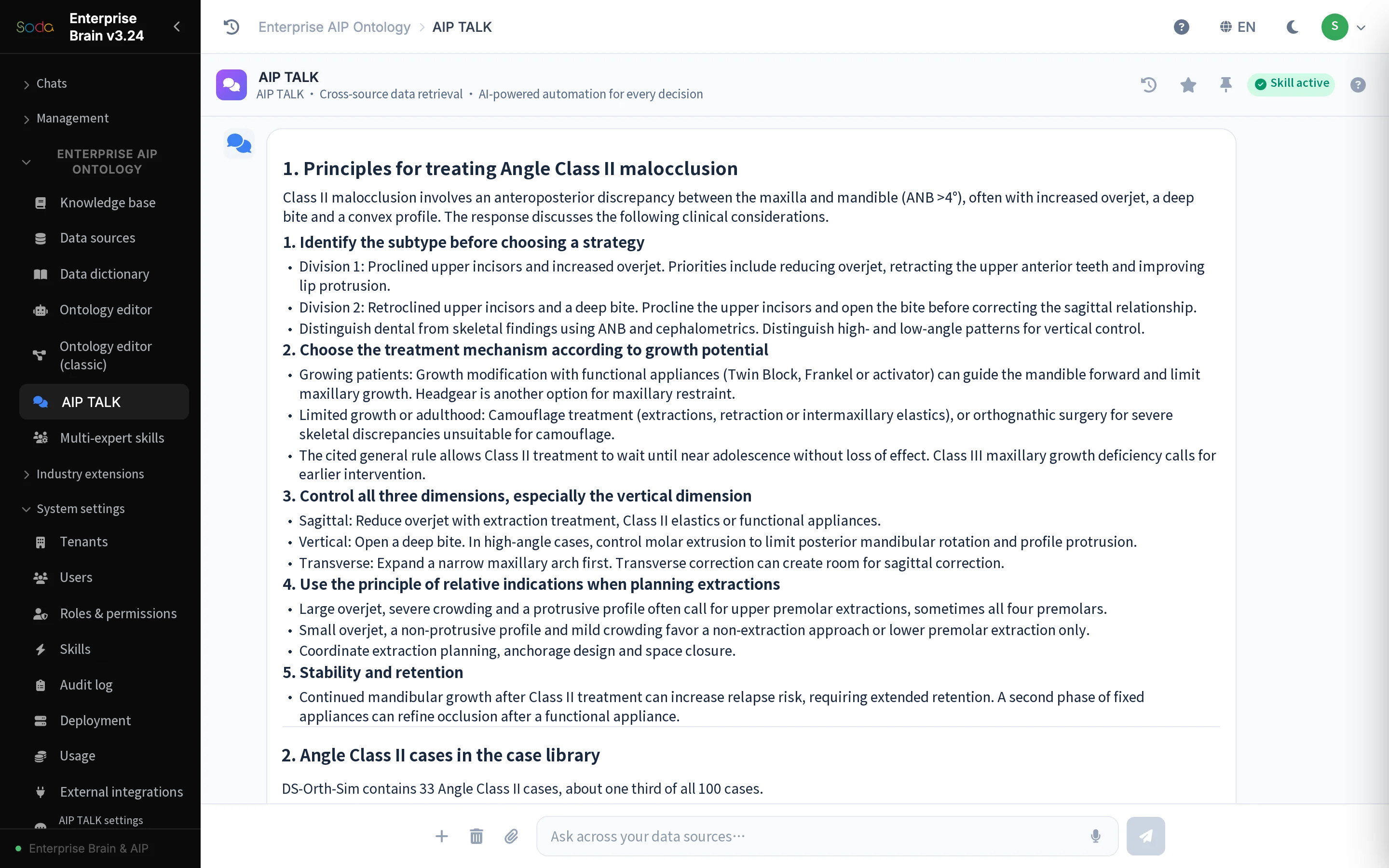
“What are the treatment principles, and are there similar cases in the database?”
The first question triggers both knowledge retrieval and a case query. The recorded answer organizes the principles from the knowledge base into four themes and finds 33 Angle Class II records, roughly one-third of the sample database. The guidance and the matched records have distinct sources. General principles do not establish an individual treatment decision.
This narrows the reading task for a specialist. First check that the classification in the source matches the search conditions, then choose which records warrant closer review. The public page reports the subject of the search and the number of matches. Patient names, identifiers and individual medical histories are excluded.
“Are there images for cephalometric analysis?” Search the image catalog
The second request asks for images relevant to cephalometric analysis. The recording first inventories 125 images, including 30 lateral cephalograms. Other types include occlusal and facial photographs, panoramic radiographs and cone-beam CT (CBCT). Image count and the number of cases represented are reported separately.
The answer groups lateral cephalograms by ANB angle and links each image to its corresponding record for retrieval. The 125 total images and the 30 lateral cephalograms are image counts. Neither figure gives the total number of cases. The aggregate catalog illustrates text and image retrieval without publishing facial photographs or individual scans.
Use a specialist perspective to check whether the evidence is complete
In the third exchange, the user selects an expert-perspective Skill and asks it to review planning considerations for a representative Angle Class II entry. The product organizes the review around diagnostic evidence, measurements, the existing plan and risk checks, highlighting points that still need clarification.
The selected perspective changes the order of reading and questioning. Check the classification and key evidence first, then examine the basis for the plan and list the conditions requiring professional review. The recording describes this perspective as an interpretation of publicly available academic views. It does not document a consultation by the named expert or approval of an individual plan.
“Which cases are complex?” Apply the database’s existing rule
The fourth question moves from reviewing one topic to screening the whole collection. The product uses the existing case_level field, graded from 1 to 5. This query defines grades 4 and 5 as complex. Of 100 sample records, 13 match, including 11 at grade 4 and 2 at grade 5.
The answer then checks the plans and handling status of those entries so the user can prioritize further review. The screen applies an existing grading rule and introduces no new clinical diagnostic standard. The public material retains the categories and counts while excluding individual records and information that could identify someone.
Keep the retrieval evidence available for professional review
Across four exchanges, the clinician sees specialist guidance alongside similar records, locates images by topic, organizes review questions through an expert perspective and applies an explicit rule to identify entries for further reading. Each step helps the user find relevant material and formulate a more precise review question.
The case illustrates linking knowledge with structured records, retrieving text and images, and filtering by a defined rule. Versions, sources and access boundaries should remain visible with the answer. Qualified professionals make clinical decisions using the full original material and the actual circumstances.